Cameras
This page shows how to use a MIPI CSI-2 camera on a Cargt i.MX board with libcamera and GStreamer.
The examples are from an i.MX 95 00414 SOM on the 00365 carrier with an
OmniVision OS08A20 camera module on CSI-1 and the 10.1” LVDS display,
running cargt-image-dev (wrynose).
Supported Cameras
Board |
Camera |
Device trees (in |
|---|---|---|
i.MX 95 00414 on the 00365 carrier |
OmniVision OS08A20 (8 MP) |
|
The OS08A20 uses the ox05b1s kernel driver. On the i.MX 95, frames
from the camera pass through the image sensing interface (ISI) and, for
processed images, the NEO image signal processor (ISP), which handles
demosaicing, auto exposure and white balance.
Selecting the Camera Device Tree
Select the device tree for the connector the camera is plugged into with
the fdtfile U-Boot variable (see Supported Touchscreen Displays), then reboot. For a
camera on CSI-1:
fw_setenv fdtfile boot/imx95-cargt-00414-00365-os08a20-csi1.dtb
reboot
Note
The OS08A20 device trees also enable the 10.1” LVDS display. Without the
display connected, the i.MX 95 display controller does not finish
probing: there is no /dev/dri, so Weston, the G2D engine (which uses
the display controller on the i.MX 95) and the GPU’s OpenGL elements in
GStreamer are not available. Capturing, encoding and streaming still
work.
After the reboot, the kernel log shows the sensor:
root@imx95-cargt-00414-00365:~# dmesg | grep os08a20
[   11.302388] ox05b1s 1-0036: Camera os08a20 detected, chip_id=530841
libcamera: Raw or Processed Images
libcamera has two pipeline handlers for this camera:
imx8-isigives raw Bayer frames straight from the sensor, with no processing.nxp/neopasses the frames through the NEO ISP, with the tuning file/usr/share/libcamera/ipa/nxp/neo/os08a20.yaml, and gives processed YUV and RGB images.
libcamera uses the first handler that matches, which is imx8-isi. For
processed images, select the NEO pipeline with
LIBCAMERA_PIPELINES_MATCH_LIST:
export LIBCAMERA_PIPELINES_MATCH_LIST=nxp/neo
This applies to every libcamera program, including cam and GStreamer’s
libcamerasrc. All examples below use it. Without it, cam -I lists
only raw formats:
root@imx95-cargt-00414-00365:~# cam -c 1 -I
Using camera /base/soc/bus@44000000/i2c@44350000/camera@36 as cam0
0: 3840x2160-SBGGR10/Unset
 * Pixelformat: SBGGR10 (3840x2160)-(3840x2160)/(+1,+1)
  - 3840x2160
 * Pixelformat: SBGGR12 (3840x2160)-(3840x2160)/(+1,+1)
  - 3840x2160
With the NEO pipeline:
root@imx95-cargt-00414-00365:~# export LIBCAMERA_PIPELINES_MATCH_LIST=nxp/neo
root@imx95-cargt-00414-00365:~# cam -l
...
INFO IPAProxy ipa_proxy.cpp:184 Using tuning file /usr/share/libcamera/ipa/nxp/neo/os08a20.yaml
...
INFO Camera camera_manager.cpp:223 Adding camera '/base/soc/bus@44000000/i2c@44350000/camera@36' for pipeline handler nxp/neo
Available cameras:
1: External camera 'os08a20' (/base/soc/bus@44000000/i2c@44350000/camera@36)
root@imx95-cargt-00414-00365:~# cam -c 1 -I
Using camera /base/soc/bus@44000000/i2c@44350000/camera@36 as cam0
0: 3840x2160-YUYV/sYCC
 * Pixelformat: R8 (1920x1080)-(3840x2160)/(+0,+0)
...
 * Pixelformat: NV12 (1920x1080)-(3840x2160)/(+0,+0)
  - 1920x1080
  - 3840x2160
...
 * Pixelformat: BGR888 (1920x1080)-(3840x2160)/(+0,+0)
  - 1920x1080
  - 3840x2160
...
The processed formats include NV12, NV16, NV21, YUYV, RGB888, BGR888 and XRGB8888, at 1920x1080 and 3840x2160.
Capturing Frames with cam
cam captures frames to files. Give the number of frames as
--capture=20; -C 20 with a space is not accepted:
root@imx95-cargt-00414-00365:/tmp/cam# cam -c 1 --capture=20 --stream width=1920,height=1080,pixelformat=BGR888 --file=frame-#.ppm
...
117.407390 (12.00 fps) cam0-stream0 seq: 000018 bytesused: 6220800
117.490811 (11.99 fps) cam0-stream0 seq: 000019 bytesused: 6220800
root@imx95-cargt-00414-00365:/tmp/cam# ls
frame-cam0-stream0-000000.ppm  ...  frame-cam0-stream0-000019.ppm
# in the file name is replaced with the camera, stream and frame
number. Writing a 6 MB PPM file per frame limited the rate to about 12 fps;
the camera itself delivers 60 fps at 1920x1080 (see the preview below).
Orientation
If the camera is mounted upside down, rotate the image after capture. The
ox05b1s driver has no flip controls, so libcamera cannot rotate in the
sensor: cam -o rot180 only prints Camera configuration adjusted and
leaves the image as it is. In GStreamer, rotate with the G2D engine (see
below).
GStreamer
libcamerasrc brings the camera into GStreamer. Hardware-accelerated
elements in the image include v4l2jpegenc (JPEG encoder),
v4l2h264enc and v4l2h265enc (video encoders),
imxvideoconvert_g2d (scaling, rotation and color conversion on the G2D
engine) and waylandsink (display through Weston).
Note
Do not set a
frameratein the caps right afterlibcamerasrc. At 1920x1080 the OS08A20 driver supports only about 49 to 69 fps, soframerate=30/1cannot be negotiated: the pipeline stalls without an error and writes nothing. For a lower rate, drop frames withvideorate(see Recording H.264 Video).libcamerasrchas nonum-buffersproperty. To stop after a number of frames, addidentity eos-after=<frames>; to stop a running pipeline cleanly, rungst-launch-1.0with-eand press Ctrl+C.
Preview on the Display
From a shell on the board (over SSH or the serial console), point
WAYLAND_DISPLAY at Weston and show the camera in a window:
export LIBCAMERA_PIPELINES_MATCH_LIST=nxp/neo WAYLAND_DISPLAY=/run/wayland-0
gst-launch-1.0 libcamerasrc ! video/x-raw,width=1920,height=1080,format=NV12 ! waylandsink
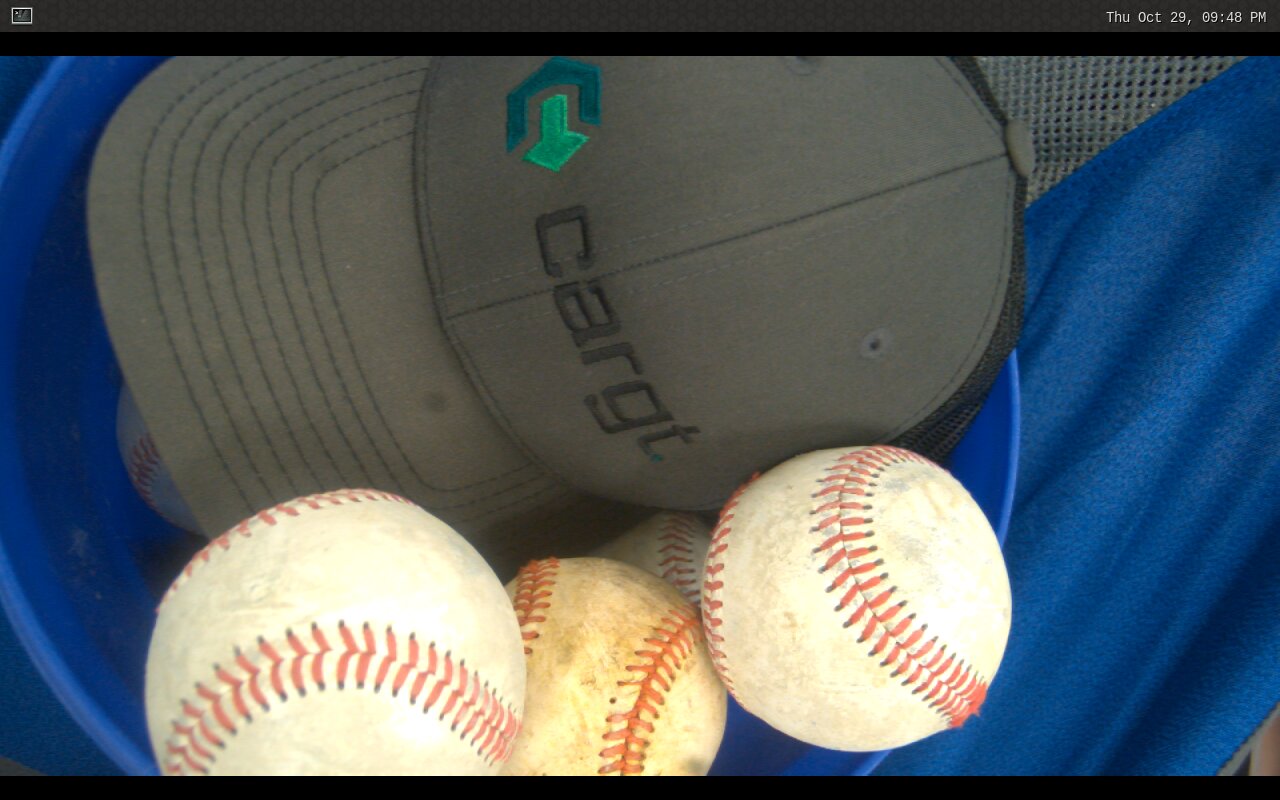
The preview on the 10.1” LVDS panel (a Weston screenshot). The 16:9 video is letterboxed on the 1280x800 panel.
To see the frame rate, use fpsdisplaysink around the sink:
root@imx95-cargt-00414-00365:~# gst-launch-1.0 -v libcamerasrc ! video/x-raw,width=1920,height=1080,format=NV12 ! \
    fpsdisplaysink video-sink=waylandsink text-overlay=false sync=false
...
/GstPipeline:pipeline0/GstFPSDisplaySink:fpsdisplaysink0: last-message = rendered: 852, dropped: 0, current: 59.92, average: 60.06
The preview runs at 60 fps with no dropped frames. While it ran, the board
was over 90% idle: gst-launch-1.0 used about 18% of one core and Weston
about 9%.
To scale the image on the G2D engine before display, add
imxvideoconvert_g2d with the output size in the caps after it:
gst-launch-1.0 libcamerasrc ! video/x-raw,width=1920,height=1080,format=NV12 ! \
    imxvideoconvert_g2d ! video/x-raw,width=1280,height=720 ! waylandsink
The GPU’s OpenGL elements work too, for example glimagesink:
gst-launch-1.0 libcamerasrc ! video/x-raw,width=1920,height=1080,format=NV12 ! \
    glupload ! glcolorconvert ! glimagesink
Both also ran at 60 fps. glvideoflip and gltransformation are not in
Cargt images, so rotate with G2D rather than the GPU.
JPEG Snapshots
Encode frames with the hardware JPEG encoder and write one file per frame. This saves 30 frames:
gst-launch-1.0 libcamerasrc ! video/x-raw,width=1920,height=1080,format=NV12 ! \
    identity eos-after=30 ! v4l2jpegenc ! multifilesink location=snap-%02d.jpg
Each 1920x1080 JPEG is about 115 KB. The JPEG encoder does not keep up with
all 60 frames per second, so libcamera logs frame loss! warnings; this
does not matter for snapshots.
One of the snapshots, processed by the NEO ISP (scaled down for this page).
To rotate an upside-down image, add imxvideoconvert_g2d
rotation=rotate-180 before the encoder. With G2D, 120 rotated frames were
encoded in 2.2 seconds, about 56 fps; rotating with videoflip on the CPU
instead managed only about 2.3 fps:
gst-launch-1.0 libcamerasrc ! video/x-raw,width=1920,height=1080,format=NV12 ! \
    identity eos-after=120 ! imxvideoconvert_g2d rotation=rotate-180 ! \
    v4l2jpegenc ! multifilesink location=snap-%03d.jpg
imxvideoconvert_g2d also accepts rotate-90, rotate-270,
horizontal-flip and vertical-flip.
Recording H.264 Video
Record to an MP4 file with the hardware H.264 encoder. -e makes
Ctrl+C finish the file properly:
gst-launch-1.0 -e libcamerasrc ! video/x-raw,width=1920,height=1080,format=NV12 ! \
    v4l2h264enc ! h264parse ! mp4mux ! filesink location=video.mp4
An 11-second recording gave a 14.7 MB file:
root@imx95-cargt-00414-00365:/tmp/cam# gst-discoverer-1.0 video.mp4
...
  Duration: 0:00:11.438163000
      Width: 1920
      Height: 1080
      Frame rate: 4900/81
4900/81 is about 60.5 fps, the camera’s rate. To record at 30 fps, let
the camera run at its own rate and drop frames with videorate:
gst-launch-1.0 -e libcamerasrc ! video/x-raw,format=NV12,width=1920,height=1080 ! \
    videorate ! video/x-raw,framerate=30/1 ! queue ! \
    v4l2h264enc ! h264parse ! mp4mux ! filesink location=video.mp4
The recorded file reports framerate=(fraction)30/1. For H.265, use
v4l2h265enc ! h265parse instead; a 7.4-second H.265 recording was
10.1 MB.
Streaming to a Computer
Send H.264 over RTP to a computer on the network. On the board, with the computer’s IP address:
gst-launch-1.0 -e libcamerasrc ! video/x-raw,width=1920,height=1080,format=NV12 ! \
    v4l2h264enc ! h264parse config-interval=1 ! rtph264pay pt=96 ! \
    udpsink host=<computer-ip> port=5000
On a Linux computer with GStreamer, save the stream to a file:
gst-launch-1.0 -e udpsrc port=5000 \
    caps="application/x-rtp,media=video,encoding-name=H264,payload=96,clock-rate=90000" ! \
    rtph264depay ! h264parse ! mp4mux ! filesink location=rtp.mp4
config-interval=1 repeats the stream headers with every key frame, so a
receiver can join at any time. Frames received before the first key frame
decode as a green, smeared picture.